Tuesday, July 28, 2026

TIP TUESDAY - ClearDent Mobile: Your Practice in Your Pocket


This month's Tip Tuesday introduces ClearDent Mobile, the secure way to access your schedule, patient charts, imaging, clinical notes, treatment plans, and more from your mobile device. 

Whether you're reviewing tomorrow's schedule over your morning coffee, responding to an after-hours patient concern, or signing clinical notes while away from the office, ClearDent Mobile helps you stay informed, prepared, and in control. 


In this Tip Tuesday, you'll discover how ClearDent Mobile helps you: 

  • Access real-time patient charts, imaging, clinical notes, and treatment information from anywhere  

  • Review schedules, appointments, and provider workloads before your day begins  

  • Respond confidently to after-hours patient questions with the complete clinical picture at your fingertips  

  • Sign clinical notes, review periodontal charts, and communicate with patients using built-in two-way texting  

  • Stay securely connected with multi-factor authentication and encrypted access 

Experience what it's like to have your practice in your pocket. 

Watch this month's Tip Tuesday and discover how ClearDent Mobile keeps you connected, wherever you are. Click here to tell us what you think!


Tip Tuesday are now available on our Help Centre! You can also access training videos, user guides, FAQs and more! It’s a great place to start when you need a helping hand.
Thursday, July 16, 2026

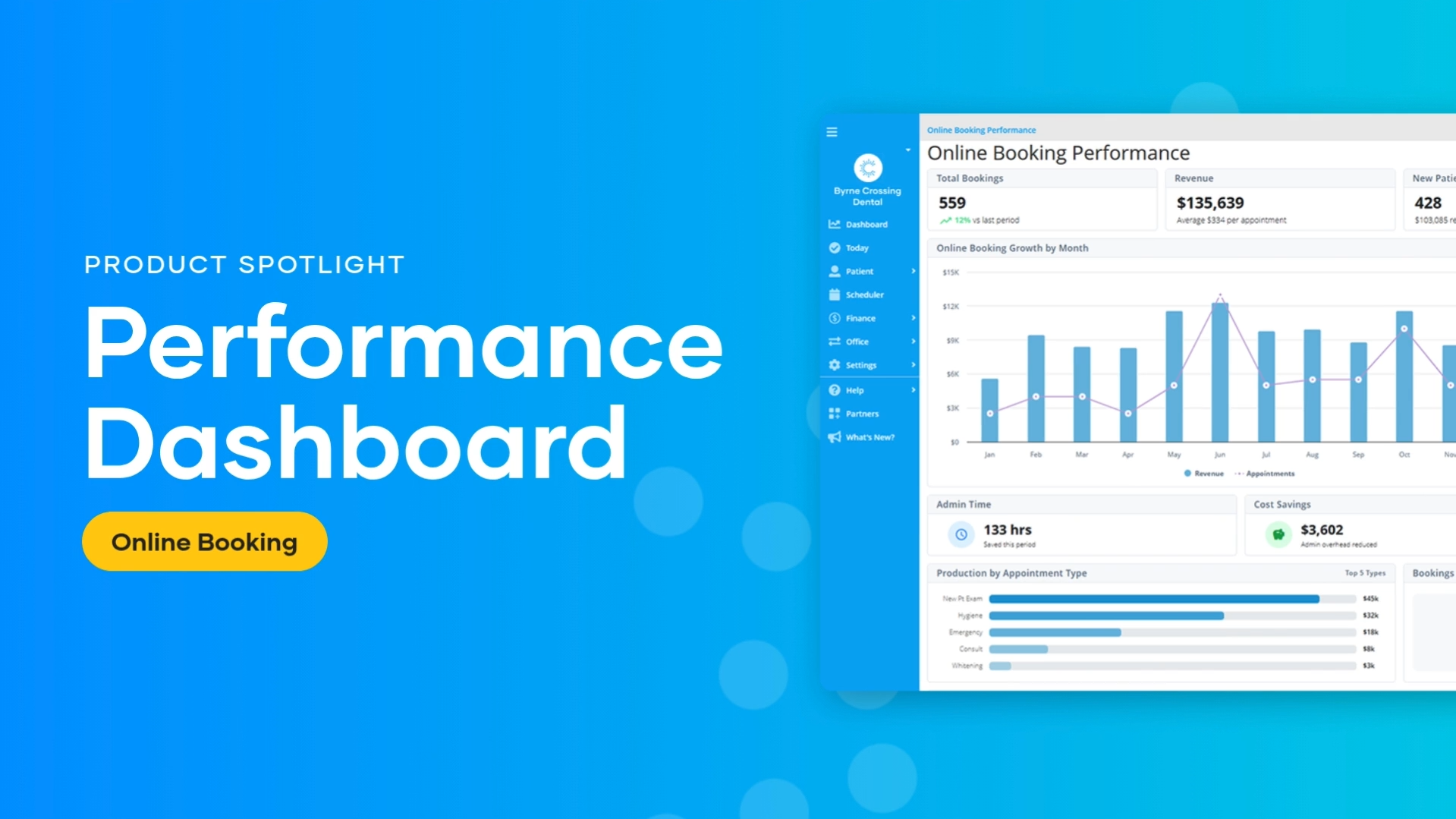
New: See the Business Impact of Online Booking

New Feature

The Online Booking Dashboard Is Now Available

See how patients are booking online, track performance and revenue, and uncover opportunities to improve scheduling and practice growth.

See the Online Booking Dashboard in action

Watch the Product Spotlight video for a quick walkthrough of the Dashboard and its key widgets.

Online Booking Dashboard Product Spotlight video

How to find the video:

  1. Open the ClearDent Help Centre.
  2. Select either the ClearDent Cloud or ClearDent On-Premise button.
  3. Select What’s New in the Help Centre.
  4. Select ⭐ New Feature! Online Booking Dashboard to view the video.

How to access the Dashboard

Follow the instructions for your version of ClearDent.

ClearDent Cloud

  1. From the navigation sidebar, select Dashboard.
  2. Select Online Booking.

ClearDent On-Premise

  1. From the Main Menu, select the Office menu—the blue folder icon.
  2. Select Online Booking Dashboard.
  3. Log in to your account.

Note: On-Premise practices must be using ClearDent version 10.1.206 or higher. Contact ClearDent Support if you need to update your software.

Not using Online Booking yet?

Talk to your ClearDent Account Manager to learn how Online Booking can give patients more flexibility while reducing routine scheduling work for your team.

Contact My Account Manager

Thursday, July 9, 2026

ClearDent Update Release Notes - Version 10.1.194 - 10.1.199

 A new version of ClearDent On-Premise is now available! Check the On-Premise Release Notes section in the Help Centre for details.